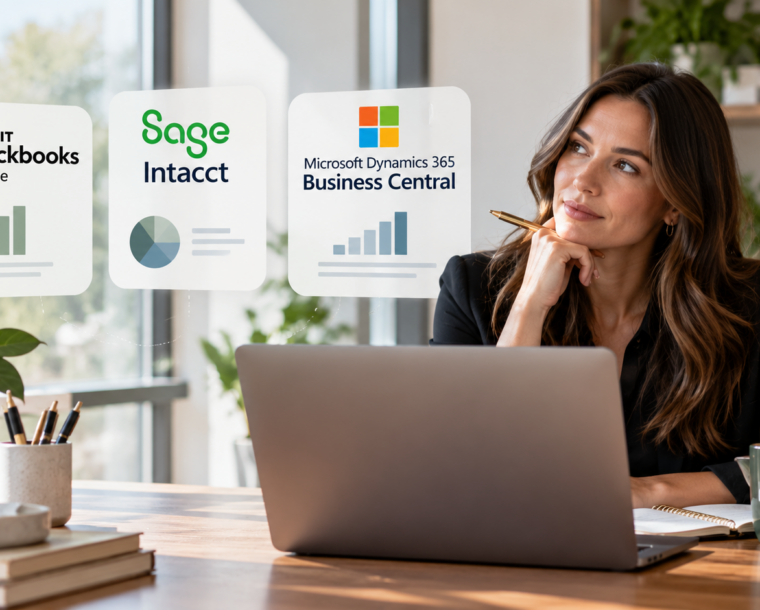
What is the best accounting software for a small or midsized business or nonprofit organization?
For many organizations, QuickBooks Online (QBO) is our preferred accounting platform because of its ease of use, widespread familiarity among accounting professionals, relatively low cost, and ability to support efficient financial reporting. However, Sage Intacct and Microsoft Dynamics 365 Business Central offer more sophisticated capabilities that may be better suited for organizations with complex financial or operational requirements.
At Greenwood Ohlund (GO), we work with small and midsized businesses, nonprofit organizations, and independent schools across the Pacific Northwest and beyond. One of the recurring questions we hear is:
Should we be using QuickBooks Online, Sage Intacct, or Microsoft Dynamics 365 Business Central?
Our answer is usually another question:
What does your organization actually need its accounting software to accomplish, and who is going to manage it?
When evaluating accounting platforms, organizations often focus on features, dashboards, integrations, and reporting capabilities. Those are important considerations, but they frequently overlook equally important factors: employee training, the availability of qualified accounting professionals, ongoing maintenance costs, and the complexity of transitioning to a new system.
In our experience, selecting accounting software should be about creating an efficient, sustainable accounting department, not purchasing the most sophisticated technology available.
Why QuickBooks Online Is GO’s Preferred Accounting Platform
QuickBooks Online is the primary accounting platform within Greenwood Ohlund’s CFO & Accounting Services (CAS) technology stack.
That decision is intentional.
Although QBO has limitations, we believe it provides the best overall combination of functionality, accessibility, staffing flexibility, and cost for many small and midsized organizations.
There are four primary reasons behind our preference.
1. Ease of Use and Operational Efficiency
An accounting platform should make everyday accounting processes easier, not more complicated.
QBO provides an accessible environment for routine activities such as accounts payable, accounts receivable, bank reconciliations, general ledger maintenance, and financial reporting.
Its relatively straightforward interface also makes it easier for management and accounting staff to understand what is happening within the organization.
For many of our clients, the objective is not to create increasingly complex reporting infrastructure. It is to establish reliable accounting processes, maintain accurate financial records, and deliver timely financial statements.
When properly configured, QBO can accomplish those objectives without requiring an extensive technology infrastructure.
2. Staffing Flexibility and Transferability of Knowledge
One of the most overlooked factors in accounting software selection is the availability of employees who know how to use the system.
QuickBooks has a broad presence in the U.S. small business accounting market. As a result, many bookkeepers, staff accountants, accounting managers, and outsourced accounting professionals already have experience using it.
This creates an important advantage.
When an existing employee leaves, an organization generally has access to a larger pool of potential replacements who are already familiar with QuickBooks.
Similarly, when promoting employees or training newer accounting professionals, organizations may have fewer platform-specific technical hurdles to overcome.
Compare that with a more specialized accounting system.
An organization using Sage Intacct or Business Central may need to recruit someone with experience in that particular platform, invest additional resources in training, or engage outside consultants to support system configuration and reporting.
These costs can become particularly significant for smaller accounting departments.
An accounting system should not become dependent on one employee who is the only person capable of operating it correctly.
From our perspective, staffing flexibility and knowledge transfer are major reasons to favor a widely used, approachable platform when its functionality meets the organization’s needs.
3. Lower Implementation and Ongoing Costs
When evaluating accounting software, organizations should consider much more than the monthly or annual subscription.
The true cost of an accounting platform includes initial implementation, data migration, integrations, consulting, employee training, ongoing support, and future system modifications.
QBO generally offers a more economical entry point and a less complicated implementation process than a heavily customized financial management or enterprise resource planning (ERP) solution.
That does not mean every QBO implementation is simple or inexpensive. Poorly designed workflows and integrations can create problems on any platform.
However, the relative simplicity of QBO frequently allows organizations to minimize the time and resources required to maintain their accounting infrastructure.
For organizations operating with limited accounting resources, those savings can be meaningful.
4. It Does What Most Organizations Actually Need
Most small and midsized organizations need their accounting departments to perform a relatively consistent set of responsibilities.
They need to process transactions accurately, reconcile their accounts, monitor cash flow, prepare budgets, compare actual results to expectations, and deliver timely financial statements.
QBO, particularly its Plus and Advanced offerings, can support departmental and program tracking using classes and locations, along with a variety of integrations and reporting tools.
For many organizations, that functionality is sufficient.
QBO certainly has limitations, particularly around complex multi-entity consolidation, extensive multidimensional reporting, sophisticated inventory management, and certain specialized accounting workflows.
But the important question is whether those limitations materially affect your organization’s ability to operate.
If 90% of an organization’s accounting requirements can be handled efficiently with a relatively straightforward platform, is it worth dramatically increasing complexity and cost to accommodate the remaining 10%?
Sometimes the answer is yes. Frequently, however, there is a more practical solution.
Sage Intacct: Powerful Financial Reporting, but at What Cost?
Sage Intacct is a sophisticated cloud-based financial management platform with capabilities that extend beyond traditional small business accounting software.
It can be particularly valuable for organizations with multiple entities, complex reporting requirements, numerous programs or departments, and detailed financial analysis needs.
One of Sage Intacct’s strongest features is its multidimensional reporting functionality.
Organizations can categorize transactions across numerous dimensions, providing management with the ability to analyze results by department, program, location, project, or other reporting attributes.
For nonprofit organizations with complicated funding structures, large independent schools, and businesses with multiple entities, these capabilities can be extremely valuable.
However, having those capabilities available does not necessarily mean an organization will be able to utilize them effectively.
A Real-World Example: More Than $60,000 Spent Without the Expected Reporting
We worked with an organization that had spent more than $60,000 on an outside consultant assisting with the setup of Sage Intacct.
The organization was investing in a more sophisticated accounting platform with the expectation that it would improve its financial reporting.
Despite that significant investment, it was still unable to generate the specific reports it had originally hoped to create.
That experience illustrates a fundamental challenge with complex accounting systems.
Sage Intacct may have been technically capable of producing the desired reporting. However, software capabilities are only valuable when the system is configured appropriately and the organization has the internal knowledge and resources to use them.
An organization can spend considerable money implementing a complex platform and still struggle with its day-to-day accounting and reporting needs.
The issue is not necessarily that the software is inadequate.
Rather, there can be a disconnect between the software’s capabilities, the implementation, and the resources available to the accounting department.
For small and midsized organizations, that disconnect can become an expensive problem.
When Does Sage Intacct Make Sense?
Sage Intacct may be the better choice when an organization has genuinely complex reporting requirements that QBO cannot reasonably accommodate.
Examples include organizations managing multiple legal entities with frequent intercompany transactions, nonprofits with extensive grant and program reporting requirements, or businesses requiring detailed multidimensional financial analysis.
In these situations, advanced reporting and automation may justify the additional implementation expense and specialized expertise.
However, organizations should confirm that their accounting teams can maintain the system and produce the desired reports without excessive ongoing dependence on outside consultants.
Microsoft Dynamics 365 Business Central: Accounting Meets Operations
Microsoft Dynamics 365 Business Central takes a somewhat different approach.
While QBO is primarily an accounting platform and Sage Intacct emphasizes financial management, Business Central offers a broader ERP solution that connects financial accounting with business operations.
Its functionality can extend into inventory management, purchasing, order processing, warehouse operations, project management, and manufacturing.
This makes Business Central particularly attractive for certain midsized businesses where accounting and operational systems need to work closely together.
For example, a distributor or manufacturer managing inventory across multiple locations may benefit from a system that integrates purchasing, inventory, sales, and financial reporting.
Business Central can also be attractive to organizations already invested in the Microsoft ecosystem, including Microsoft 365, Excel, and Power BI.
The Challenge: Implementation and Specialized Knowledge
As with Sage Intacct, Business Central’s expanded capabilities introduce additional complexity.
Implementations may require substantial planning, process redesign, configuration, data conversion, user training, and outside expertise.
Organizations may also need employees with specific ERP experience to maintain the environment and troubleshoot issues.
Unlike a straightforward accounting system, Business Central can become deeply embedded in operational workflows.
That creates advantages when properly implemented, but it also makes poor implementation decisions potentially more disruptive.
For organizations with meaningful inventory, manufacturing, distribution, or complex operational requirements, Business Central can be an excellent investment.
For organizations primarily seeking general ledger accounting and reliable monthly financial statements, however, it may introduce more infrastructure than necessary.
QuickBooks Online vs. Sage Intacct vs. Business Central: A Practical Comparison
| Evaluation factor | QuickBooks Online | Sage Intacct | Business Central |
| Ease of use | Generally easiest to learn | Moderate to complex | Moderate to complex |
| Initial implementation | Generally lower complexity | More involved configuration | Often significant ERP planning |
| Ongoing cost | Generally lower | Higher, depending on modules and support | Varies with licensing, integrations, and support |
| Existing staff training | Relatively straightforward | More specialized | More specialized |
| Recruiting experienced staff | Broad small business accounting talent pool | More specialized finance talent | More specialized ERP talent |
| Financial reporting | Strong core reporting | Advanced multidimensional reporting | Advanced financial and operational reporting |
| Multiple legal entities | More limited native consolidation | Strong multi-entity capabilities | Consolidation and intercompany capabilities |
| Inventory and operations | Basic to moderate | Varies by modules and integrations | Strong ERP capabilities |
| Best fit | Small and midsized businesses and nonprofits with manageable complexity | Organizations with complex financial reporting requirements | Businesses needing integrated accounting and operations |
These are general assessments, not rankings of every product edition or implementation. Requirements, configurations, integrations, and implementation partners can materially change the outcome.
The Hidden Cost of Accounting Software: Training and Employee Turnover
Software comparisons frequently focus on licensing costs and functionality.
We believe organizations should place significantly more emphasis on the accounting professionals who will be responsible for using the system.
Consider two organizations with similar financial reporting needs.
One operates on QBO, and the other operates on a highly customized ERP platform.
Both organizations lose their accounting manager.
The organization using QBO may be able to recruit an experienced accounting professional already familiar with the software and train that person on its specific policies and processes.
The organization using the ERP system may need a narrower pool of candidates, additional training, or outside implementation support during the transition.
The second organization could ultimately have a more powerful accounting platform, but its staffing requirements may also be more expensive and difficult to manage.
The same issue applies to existing employees.
Organizations should not underestimate the cost of taking otherwise capable accounting professionals and requiring them to learn an entirely new, specialized system.
That training investment can be worthwhile, particularly when the new platform eliminates significant manual work or delivers reporting that is otherwise difficult to achieve.
But it should be a conscious business decision, not an afterthought.
This consideration is especially important for nonprofits and midsized businesses with accounting departments consisting of only a few employees.
Having a system that multiple team members can operate, rather than concentrating knowledge in one individual, improves business continuity and reduces operational risk.
The Most Expensive Accounting System Is Not Always the One With the Highest Subscription Fee
An organization’s total investment in accounting technology should be evaluated over several years, not simply during the first year of implementation.
We recommend looking at the following costs:
- Software licensing: Monthly or annual subscriptions, user licenses, and additional modules.
- Implementation and migration: Outside consultants, historical data conversion, system configuration, and testing.
- Training: Employee time, training programs, documentation, and productivity lost during the transition.
- Ongoing support: Consultants, technical specialists, reporting modifications, and recurring integration expenses.
- Staffing: The cost of recruiting and retaining employees with the required software knowledge.
- Operational efficiency: Time saved through automation versus time spent managing unnecessary complexity.
A more expensive platform can generate a strong return on investment if it significantly improves business processes, reduces manual reconciliations, or supports otherwise difficult operational requirements.
Conversely, an organization can spend tens of thousands of dollars implementing advanced technology without meaningfully improving the information it provides to management.
The objective should be to select the platform that offers the best overall value—not simply the most impressive demonstration.
Our Philosophy: Keep Accounting Simple
At Greenwood Ohlund, one of our guiding principles is that accounting should be predictable and dependable.
An accounting department should be able to process transactions consistently, reconcile accounts, close the books, and produce reliable financial statements without unnecessary complications.
We frequently see organizations become interested in sophisticated dashboards, advanced reporting, and new technology before establishing the fundamentals of a well-functioning accounting department.
But technology cannot compensate for poorly designed accounting processes.
A sophisticated financial dashboard is not particularly useful if the underlying accounting records are incomplete or the organization cannot consistently close its books.
The foundation of good financial management is accurate, timely, and consistent reporting.
Our priority is to make accounting departments more effective, not more complicated.
That philosophy extends to technology.
We favor solutions that allow accounting professionals to focus their time on financial analysis, management communication, budgeting, forecasting, and strategic decision-making rather than constantly troubleshooting the systems supporting those activities.
So Which Accounting Platform Should Your Organization Choose?
Our starting point is generally QuickBooks Online.
Its accessibility, affordability, and familiarity among accounting professionals make it a practical option for a wide range of small and midsized organizations.
However, we recognize that QBO is not the right answer for everyone.
Sage Intacct can be an excellent solution for organizations requiring sophisticated financial reporting and multi-entity accounting.
Business Central can be particularly effective for businesses needing to integrate accounting with inventory, manufacturing, distribution, and other operational functions.
The key is understanding what your organization actually needs and whether the additional functionality justifies the associated complexity.
We would rather see an organization operating an efficient accounting department on a relatively simple platform than struggling to utilize an expensive system that exceeds its practical needs.
The best accounting software is not the one that can do the most. It’s the one that helps your accounting department do its job most effectively.
Frequently Asked Questions About Accounting Software
What is the best accounting software for a small or midsized business?
For many small and midsized businesses, QuickBooks Online provides an effective balance of affordability, ease of use, and financial reporting capabilities. Organizations with complex multi-entity accounting, sophisticated reporting, or extensive inventory and operational requirements may benefit from Sage Intacct or Microsoft Dynamics 365 Business Central.
Is Sage Intacct better than QuickBooks Online?
Sage Intacct offers more advanced multidimensional reporting and multi-entity accounting capabilities. However, QuickBooks Online may be more appropriate for organizations prioritizing ease of use, lower costs, and accounting staff flexibility. The better platform depends on the organization’s actual reporting and operational requirements.
When should a business move from QuickBooks to an ERP system?
A business should consider moving from QuickBooks when its operational or financial reporting requirements cannot be met efficiently through QBO and reasonable integrations. Common triggers include complex intercompany transactions, sophisticated inventory management, manufacturing requirements, and extensive multidimensional reporting. Company revenue or employee count alone should not determine the decision.
Which accounting software is easiest for new employees to learn?
QuickBooks Online is generally one of the more accessible options because of its intuitive interface, extensive training resources, and widespread use among small business accounting professionals. Sage Intacct and Business Central offer training resources as well, but organization-specific configurations may require additional specialized knowledge.
What accounting software is best for nonprofits?
QuickBooks Online can be an effective solution for many small and midsized nonprofits, particularly when classes and locations provide sufficient tracking for programs, departments, and funding activities. Larger nonprofits with complex grant requirements, multiple entities, or sophisticated financial reporting needs may benefit from Sage Intacct. Business Central may also be appropriate depending on the organization’s operational requirements and configuration.
Does Greenwood Ohlund work with accounting platforms other than QuickBooks Online?
Yes. Although QuickBooks Online is GO’s primary accounting platform, our CFO & Accounting Services team works with QuickBooks Online, Sage Intacct, Microsoft Dynamics 365 Business Central, and other accounting technologies. Our recommendations are based on the organization’s needs rather than software vendor implementation fees or referral commissions.
Get an Independent Perspective Before Investing in New Accounting Software
At Greenwood Ohlund, we understand that selecting an accounting platform is a significant decision.
Although QBO is our preferred platform for many clients, we recognize its limitations and regularly work with organizations utilizing more sophisticated systems.
Our goal is not to convince clients to use a particular software product.
We do not receive fees for steering clients toward a specific accounting platform. Our role is to help organizations understand the advantages, limitations, implementation requirements, and long-term costs associated with their technology decisions.
Whether you are evaluating a new accounting system, considering transitioning away from your current platform, or simply wondering if your existing technology is being utilized effectively, our team can help.
Through GO’s CFO & Accounting Services, we work with organizations to evaluate accounting processes, improve financial reporting, support accounting departments, and make informed technology decisions.
Before investing in a more complicated accounting system, make sure the complexity is actually necessary.
Visit www.greenwoodcpa.com to connect with Greenwood Ohlund about the right accounting platform for your organization.
Author: Jason Mallon, CAS Partner